
Have you ever wondered how your phone or laptop just “knows” how to connect to the Wi-Fi without you typing in a bunch of technical codes?
The secret is a system called DHCP (Dynamic Host Configuration Protocol). To understand how it works, you need to understand the DHCP Lease.
The “Apartment Rental” Analogy
Think of a network (like your home Wi-Fi) as a small town. Every house in this town needs a unique mailing address (an IP Address) so the mail carrier (the internet) knows where to deliver data.
In the old days, you had to “buy” a permanent address and manually paint the number on your door. This was tedious and confusing.
With DHCP, it’s more like renting an apartment:
- The DHCP Server (The Landlord): Usually your router. It owns a big block of addresses.
- The DHCP Client (The Tenant): Your phone, laptop, or smart fridge.
- The Lease: The temporary agreement that says your device can use a specific IP address for a set amount of time.
How the Lease Process Works (DORA)
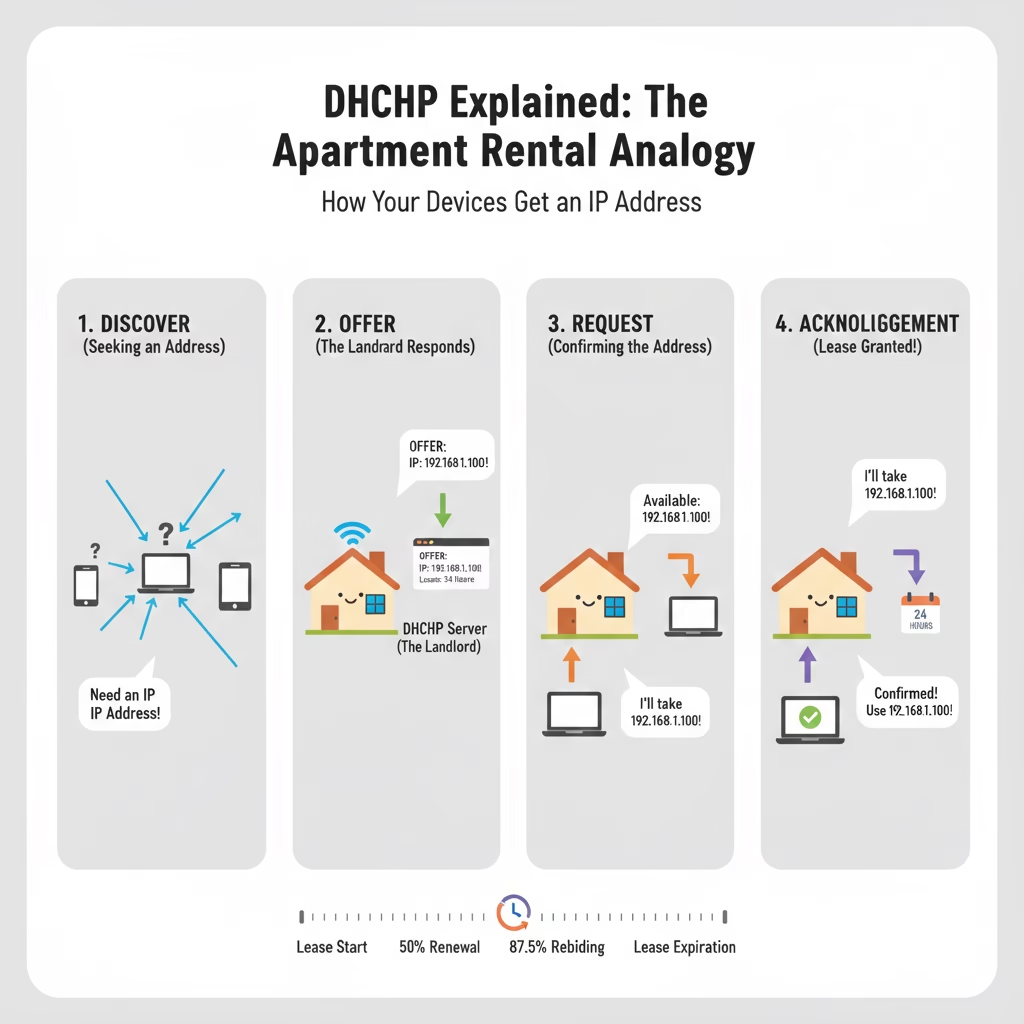
When your device tries to connect, it goes through a four-step handshake known as DORA:
- D – Discover: Your device shouts, “Is there a landlord here? I need a place to stay!”
- O – Offer: The router hears the shout and says, “I have Apartment 192.168.1.10 available. Here are the keys.”
- R – Request: Your device says, “That looks great! I’d like to rent Apartment 192.168.1.10, please.”
- A – Acknowledgement: The router says, “Done. You have a lease for the next 24 hours. Welcome to the network!”
Why Not Give Permanent Addresses?
You might wonder, “Why not just let my phone keep the same address forever?”
- Saving Space: Most routers only have about 250 addresses. If every friend who visited your house kept a permanent address, you’d eventually run out.
- Organization: When a guest leaves, their “lease” expires, and the router can give that address to someone else.
- Automation: It’s “plug and play.” You don’t have to be a tech genius to get online.
What Happens When the Lease Ends?
Your device doesn’t just get kicked off the internet the moment the timer hits zero. There is a Renewal Process:
- 50% Mark (T1): When the lease is half over, your device quietly asks the router, “Can I stay a bit longer?” Usually, the router says yes and resets the clock.
- 87.5% Mark (T2): If the router didn’t answer at the 50% mark (maybe it was rebooting), the device tries again, shouting a bit louder to any available DHCP server.
- Expiration: If the lease expires completely, the device must stop using that address and start the “DORA” process from scratch.
Common Lease Times
How long a lease lasts depends on where you are:
- Home/Office: Usually 24 hours. Since the same devices are there every day, long leases keep the network quiet.
- Coffee Shop/Airport: Usually 30 minutes to 2 hours. Since people leave quickly, the “landlord” needs to get those addresses back fast for the next customer.
Summary
A DHCP lease is simply a temporary permit for your device to use an IP address. It keeps the network organized, prevents address shortages, and most importantly makes sure you can get on TikTok or join a Zoom call without ever touching your network settings.